November Pixel Drop: 'Wicked' theme packs, Remix in Google Messages and more

Our November Pixel Drop is here and full of time-saving tools, enhanced security and extra personalisation — just in time for the holidays. Updates start rolling out today and will continue over the next several weeks. Check out what’s new below!
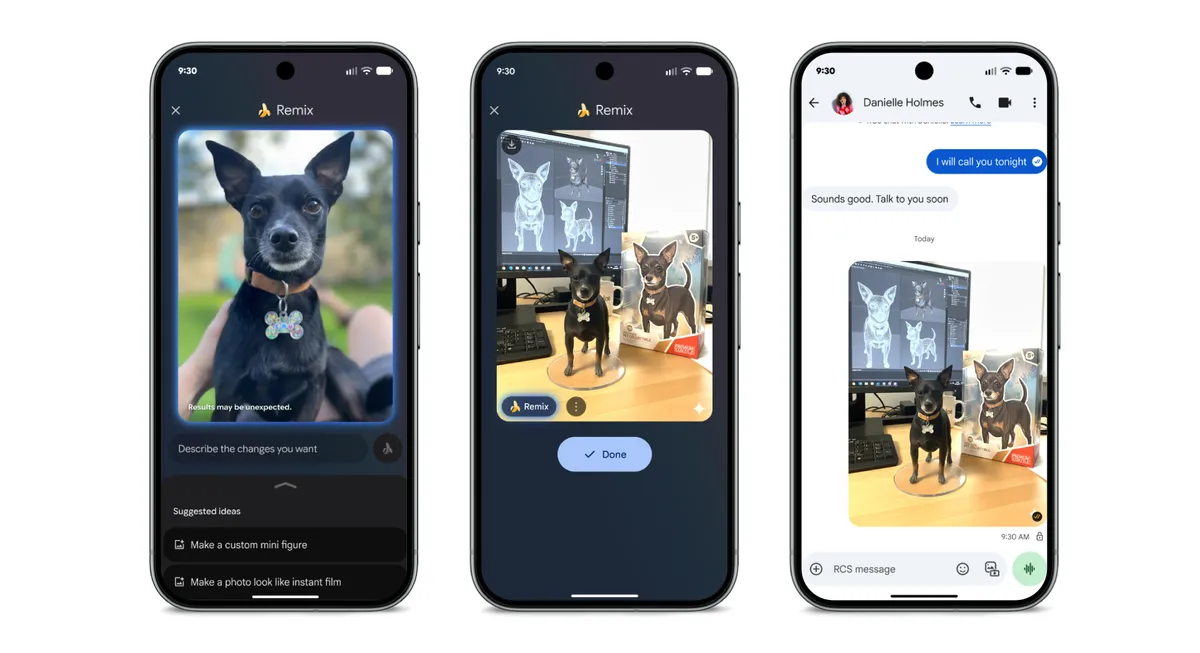
- Remix any photo, right in your messages
Starting today, you can edit and reimagine any photo using Remix in Google Messages (1). And everyone — no matter what phone they use — can see your remixed photos. Yes, it even works in the group chat! Remix uses Nano Banana, our Gemini image generation and editing model. And if you’re chatting with another Google Messages user, you can both remix the same image back and forth without ever leaving the app.
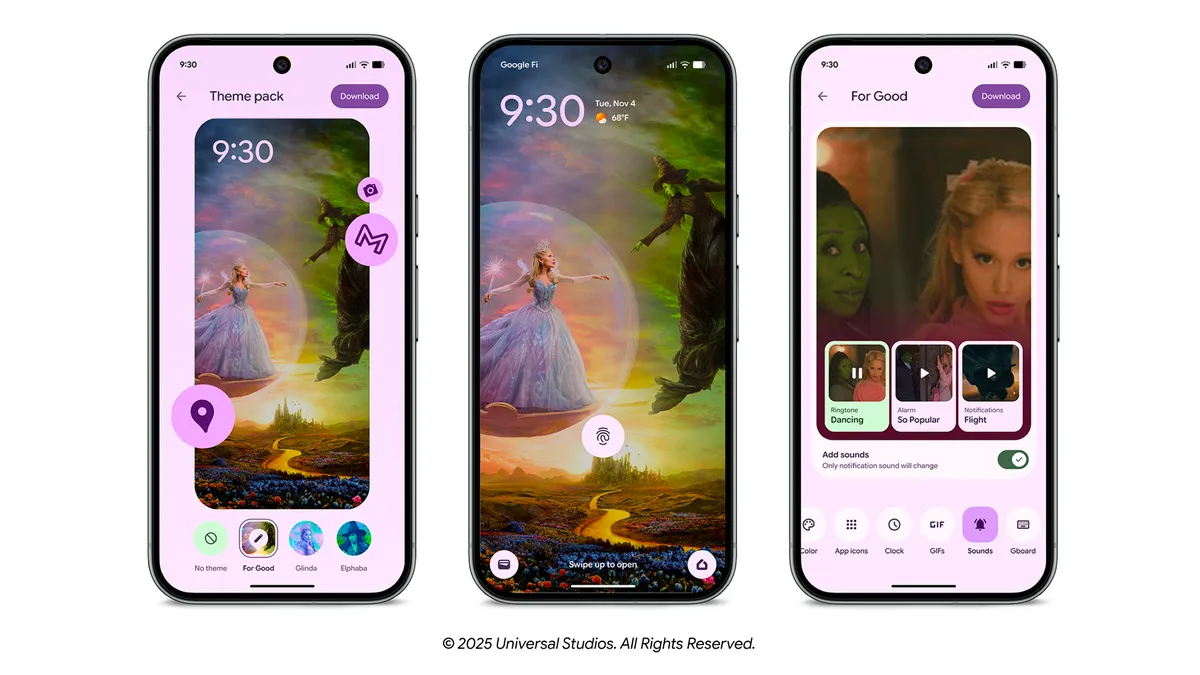
2. Add a touch of magic with ‘Wicked: For Good’ theme packs
Our ‘Wicked: For Good’ theme packs customise your Pixel with wallpapers, icons, system sounds and GIFs inspired by the film (2). Choose from three styles — For Good, Glinda and Elphaba — to make your device feel magical with just a tap.
3. Find details faster with AI-powered notification summaries
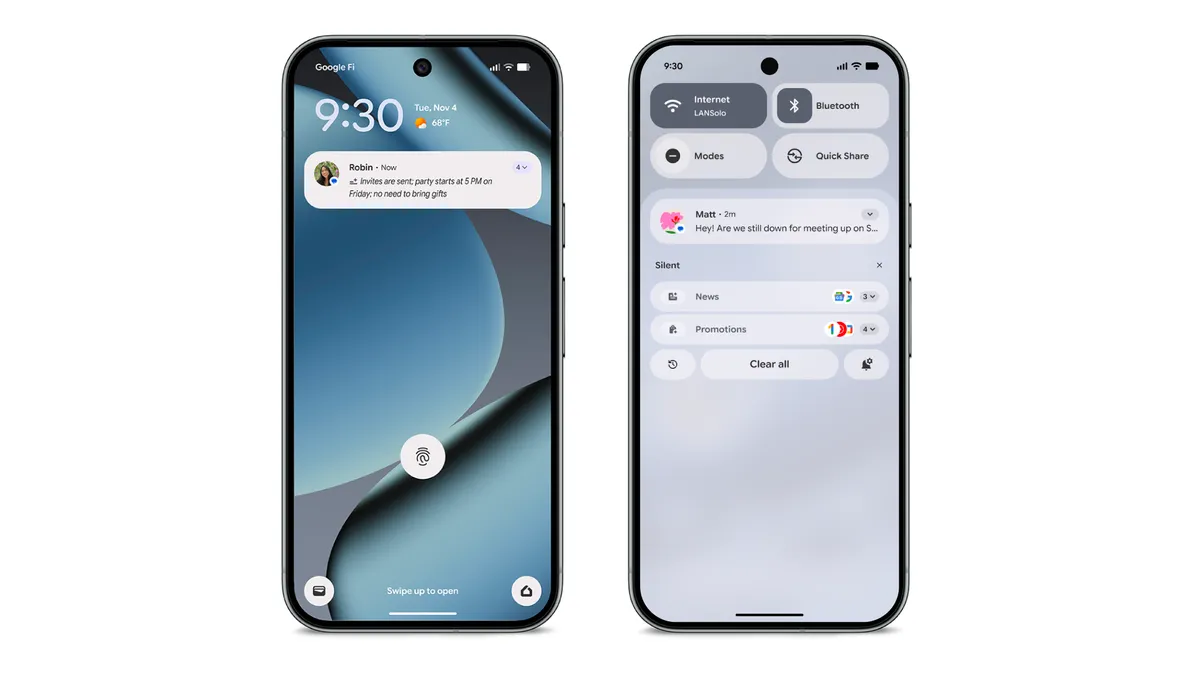
Your Pixel 9 or newer phone can now provide summaries of your longer conversations. Lengthy texts across chat apps are easily recapped in your notification shade, ideal for quickly catching up on busy group texts and long chat threads so you can quickly see what’s important and stay focused. [3]
And coming in December, your Pixel will help further reduce notification overwhelm by organising and silencing lower-priority notifications, saving you from unnecessary interruptions. [4]
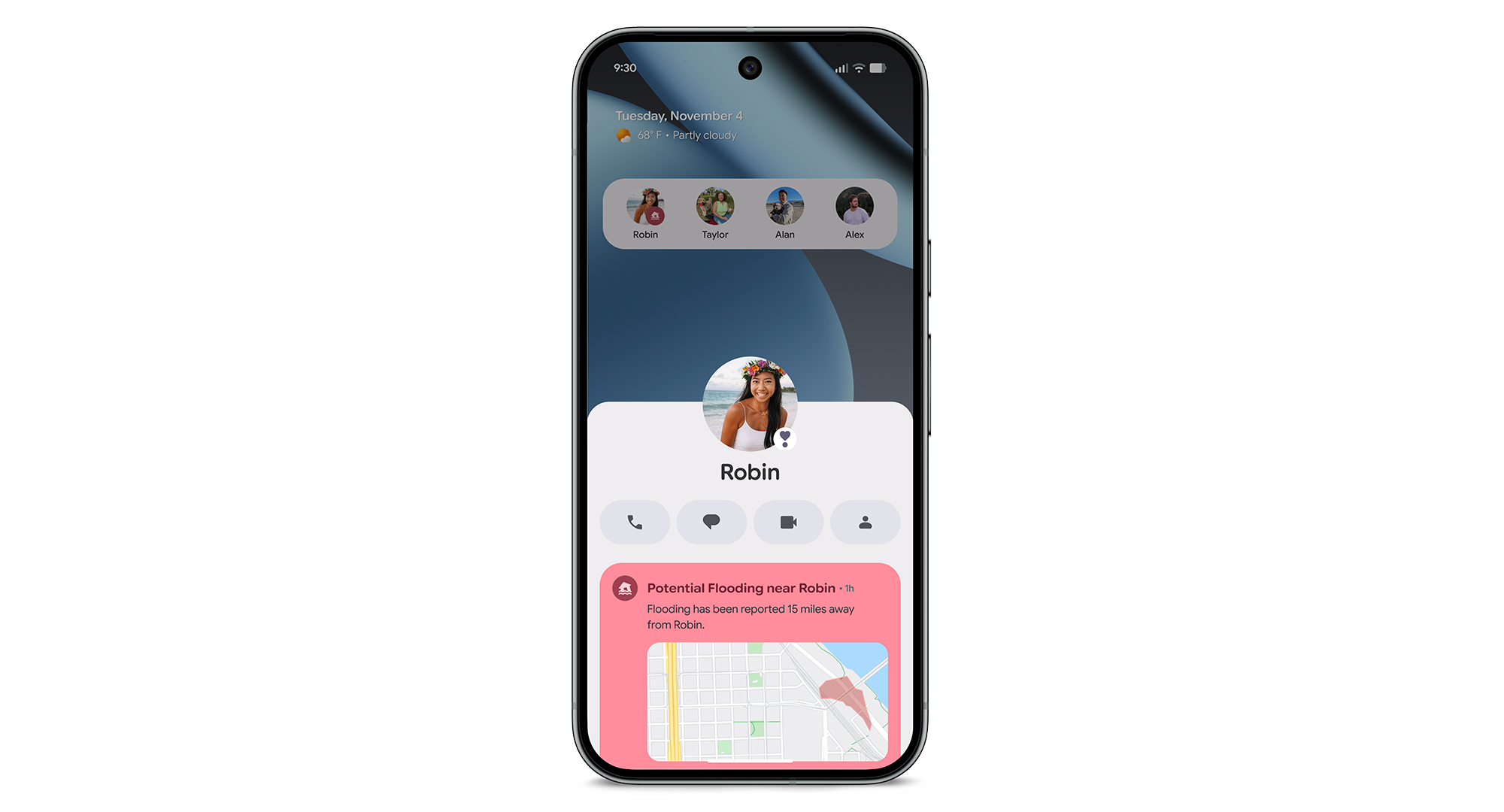
4. Prioritise the VIPs in your life with upgraded tools
We’re upgrading the VIP treatment for your closest friends and family on your Pixel. Message notifications from your VIPs now get prioritised, keeping you in close contact throughout the day and ensuring you don’t miss a message. With your safety in mind, VIPs will also now have a crisis badge in the Contacts widget to keep you posted on critical alerts. [5]
5. Save battery with Power Saving mode in Google Maps.
Get more out of your Pixel 10 phone battery with Power Saving mode [6] in Google Maps while driving. Just press the power button and you'll see a simplified layout, showing only key information like next turns. You’ll still have directions for your long trip while extending your battery life up to four hours.

6. Access Pixel’s fan-favourite features
We’re bringing some of Pixel’s most helpful features to more users around the world. Scam Detection, which uses powerful AI to detect and warn you of speech patterns commonly used by scammers on phone calls, is currently rolling out to Pixel 9+ users in Australia. [7]
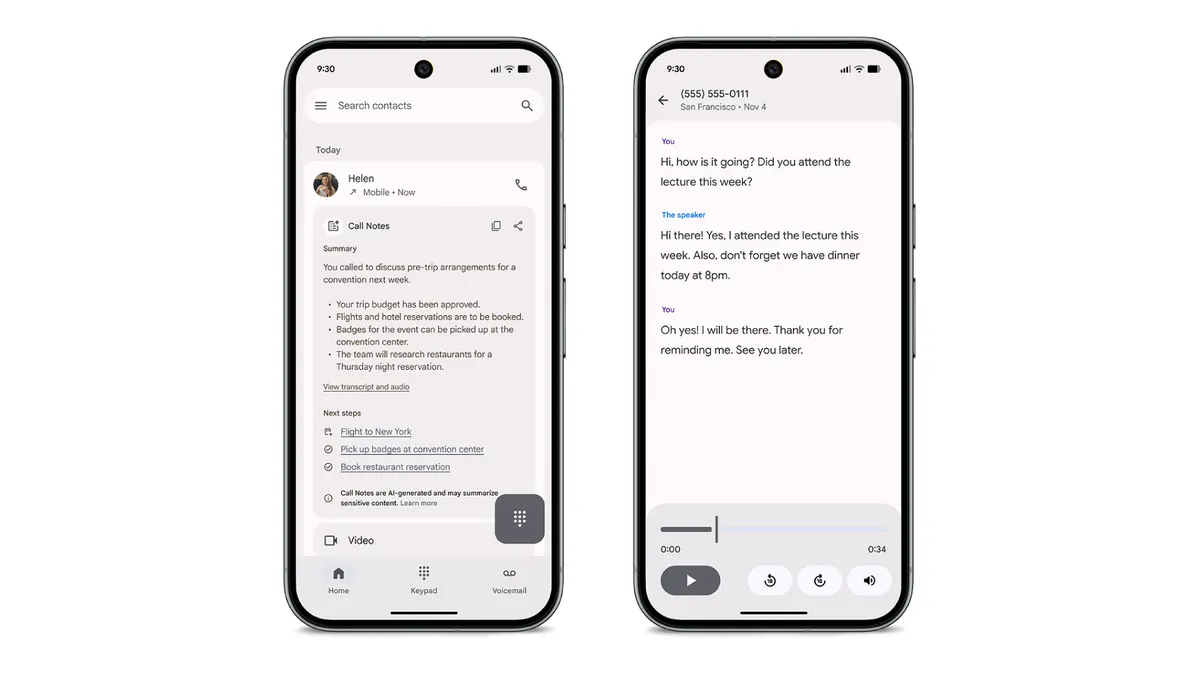
Additionally, select Pixel 9 or newer users in Australia can access Call Notes. Call Notes uses Gemini Nano on-device to record your calls, take notes, generate a transcript and summary and provide next-steps based on your conversation, making information easily retrievable and actionable. [8]
7. See more timely suggestions from Magic Cue
Magic Cue now delivers more timely suggestions, powered by our new privacy technology, Private AI Compute, in the cloud. Private AI Compute is our latest AI processing platform, built to deliver the speed and power of advanced Gemini models in the cloud while extending the same user security and privacy assurances of on-device processing.
For the full list of features arriving on your devices in November, check out our community forum post.
Footnotes:
- Available November 2025. Availability varies. Age 18+. Check responses. Create responsibly.
- Wicked: For Good Theme packs available for download until January 31, 2026.
- Only available for Pixel 9 and above (excluding Pixel 9a) in English.
- Only available for Pixel 9 and above (excluding Pixel 9a) in English.
- Only available for Pixel 6 and above.
- Available only on Pixel 10, Pixel 10 Pro, Pixel 10 Pro XL, and Pixel 10 Pro Fold. Actual savings depend on display settings, traffic conditions and other factors.
- Available on Pixel 9 phones and newer (except A-series Pixel devices) in the US, CA, UK, IE, AU, and IN in English, French, & Hindi only. Scam Detection is not 100% accurate and scammers constantly change tactics. Always use caution when answering calls from unknown numbers. See g.co/pixel/scam-detection-help for more details.
- Only available for Pixel 9 and above (excluding Pixel 9a).