Make the most of the school year with new Chromebook features
The start of a new school year (in the Northern Hemisphere) means 50 million students and educators will be powering up their Chromebooks in classrooms around the world — putting the work of their IT administrators to the test. For us at Google, it means continuing to protect Chromebooks against persistent threats like ransomware to keep learning going, and rolling out new features to help students, educators and admins alike reach their full potential. Here’s how we’re doing just that.
Try new lightweight, sleek Chromebooks
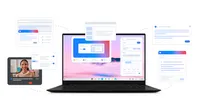
- Teachers need thin and lightweight devices to rely on for all-day teaching. The new Samsung Galaxy Chromebook Plus is just that. Starting at $699 USD, it’s an ultra-portable laptop, in an eye-catching neptune blue color. It’s also the first Chromebook Plus to have the Quick Insert key, to help you get what you need fast.
- The versatile and slim Lenovo Chromebook Duet EDU G2 is the ideal school-to-home device, starting at $319 USD. Students can shift from laptop to tablet mode as they walk around the classroom with the included rugged case, or you can put up the kickstand to show a video. The Lenovo USI Pen 2* enables sketching with precision, and a MediaTek Kompanio 838 processor delivers anytime speed.

With 8GB of RAM, an Intel Core 3 100U (14th Gen, Raptor Lake-R) processor, 256GB storage, OLED screen and long-lasting battery life, the Samsung Galaxy Chromebook Plus is our thinnest and lightest Chromebook Plus yet.

The Samsung Galaxy Chromebook Plus comes in a neptune blue chassis design.

Use the brand new Quick Insert key on Samsung Galaxy Chromebook Plus to quickly search for files or photos
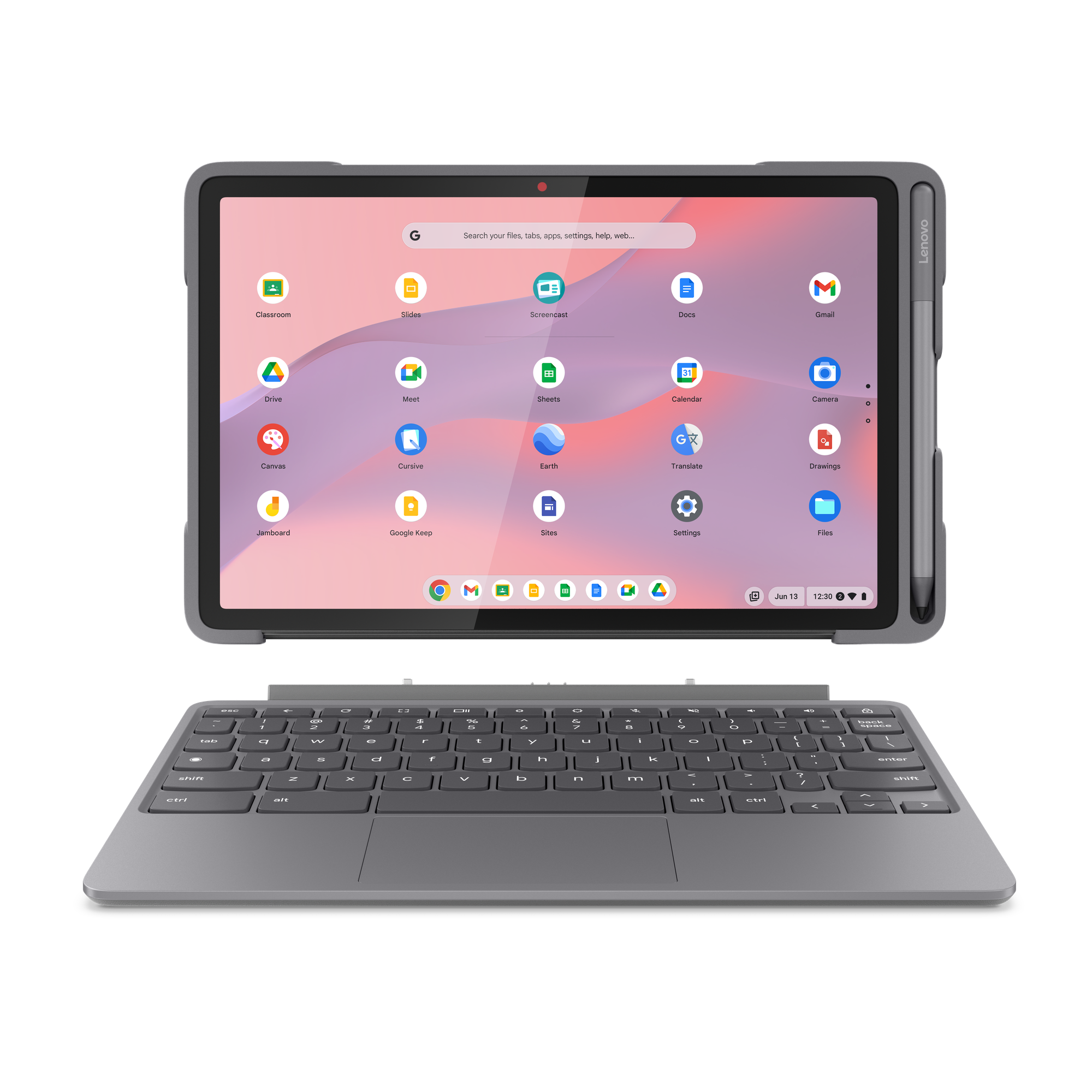
The Lenovo Chromebook Duet EDU G2 is perfect for video calls or record with pixel-perfect quality and stream in ultra-clear 2K with a 5MP camera, 10.95” narrow bezel display and booming SmartAMP with Waves Audio sound.
Lenovo Chromebook Duet EDU G2 easily converts from laptop to tablet and features a rugged spill-proof case and Lenovo USI Pen 2.
Level up your teaching with AI on Chromebook Plus
Chromebook Plus is powerful enough for advanced workflows, with Google AI built in. These features are all rolling out in the next few weeks, along with admin controls for all generative AI features, available to anyone 18 and older.
- With Help me write* on Chromebook Plus, you can easily lean on Google for help creating differentiated content and materials for students with different needs and abilities. Just right-click on any text box and "Help me write" will offer suggestions to enhance your text. It can condense or add emojis, or even adjust the tone of your writing to be more formal.
- Discover new insights with Help me read*. This tool makes it easy for you to summarize PDFs, articles or websites with just a right-click. Ask follow-up questions to dive deeper into the content — and soon, you'll be able to highlight specific sentences or paragraphs for clarification.
- With Live Translate*, you’ll be able to help learners understand content in their native language — or in the language they’re learning. Live Translate enables Google AI-translated captions in more than 100 languages on media streams, whether it’s a video you post to Classroom or a video in a research article online.
- The Quick Insert key, first coming to the Samsung Galaxy Chromebook Plus, helps educators get what you need fast. Whether you're looking for editing suggestions, URL linking or the ideal GIF to put in a Slide deck, a simple tap on the new keyboard button unveils a menu filled with helpful options. When using Quick Insert, you can include not only Drive files, but also local files like screenshots (a teacher favorite!) or images.
- We recently announced we’re bringing Gemini to Google Workspace for Education. With these tools, education leaders can get even more generative AI features built into Google Workspace for Education to help with lesson planning, content creation and more. If you purchase 25 or more Chromebook Plus devices, you qualify for promotions on Gemini for Workspace. Learn more in the one pager and website.
- Create voice recordings and audio content with the new Recorder app. Record voices for class projects, note-taking – and even podcasts – using built-in AI-powered voice recording on your Chromebook, with transcriptions built in. The Recorder app is available on all Chromebooks, but the AI-powered speaker identification and a summary of recorded content, along with noise cancellation, are only available on Chromebook Plus.
In May, we shared that many other new features would be coming – and they’re now rolling out through the end of the year. Take advantage of the Google Tasks and Calendar integrations to help you check and update your to-do lists and Classroom assignments from your Chromebook desktop.
A teacher is using the Help me write feature on Chromebook Plus to brainstorm catchy blog titles.
Dive deeper into learning! 🐠 A teacher is using the "Help me read" feature on their Chromebook Plus to summarize a complex PDF about coral reefs and quickly generate questions to test their students' understanding.

Breaking down language barriers in the classroom! 🌏 This teacher is using Google Drive to share a video lesson with their class, while a student uses the Live Caption feature on their Chromebook Plus to follow along in real-time, with the captions automatically translated into their preferred language.
Find more features for all learners on Chromebooks
- Chromebooks are here to help eliminate wasted class time. When you log in, Welcome Recap will give you a visual overview of where you left off and helpful suggestions to get back into the flow — like a reminder of upcoming classes or activities, or quick access to a recently opened file.
- To help you focus on those tasks at hand — whether it’s an in-class assignment for your students or a lesson plan — you can choose a window of time, a Google Task you want to finish and a soundscape. Then Focus can automatically turn on “Do Not Disturb” for a distraction-free experience.
- Pin essential files to your home screen for instant access, even when offline. Launcher suggests relevant Google Docs or Slides that you might be searching for, saving you time.
- With face control, students with motor impairments will soon be able to type, click, and interact with their computer hands free – just with your facial movements and gestures. Face control requires a minimum of 8GB of RAM for the best experience, and will be rolling out in the coming months.
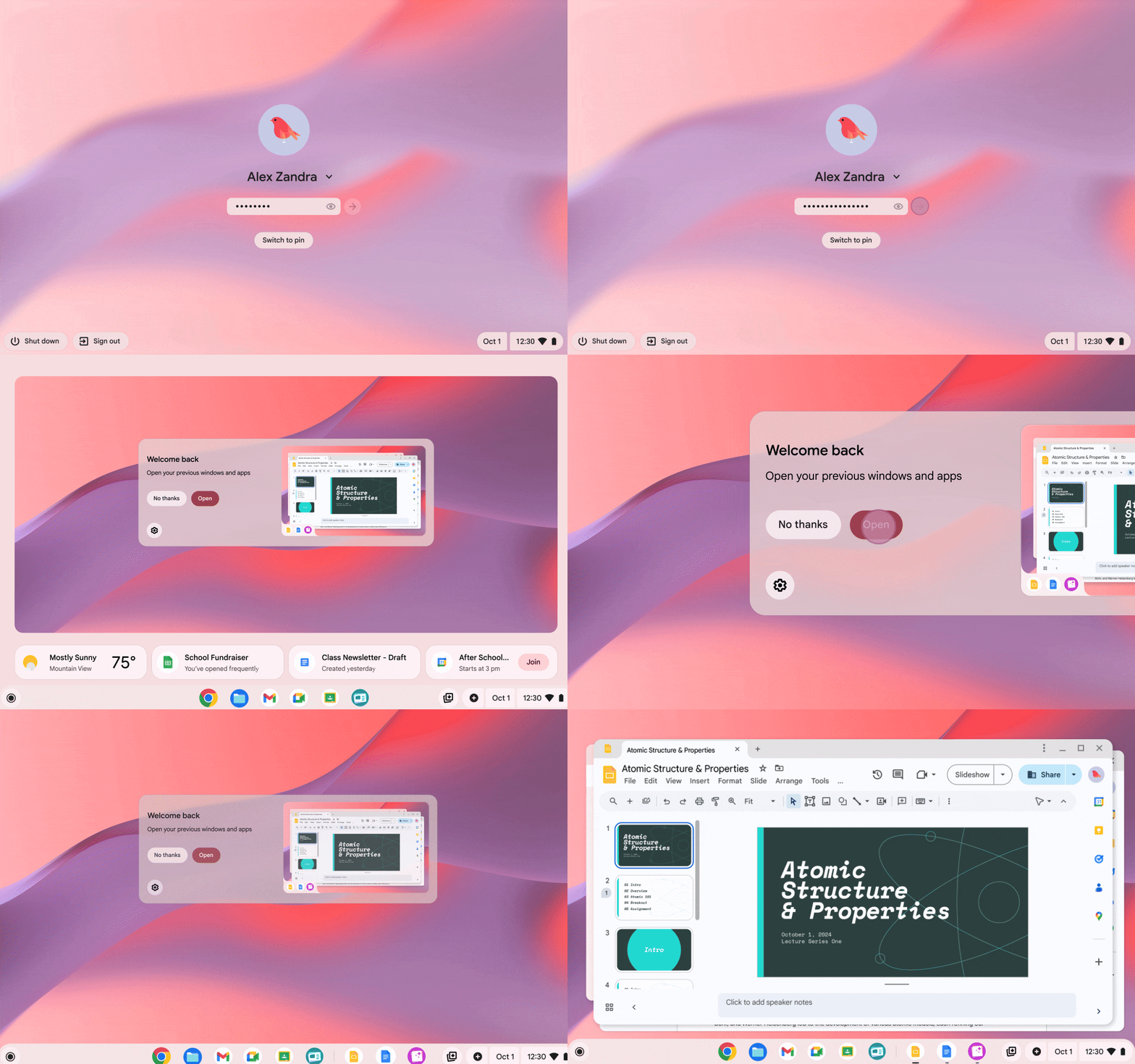
Jump right back in! ✨ Chromebook's new welcome recap makes it easier than ever to pick up where you left off. When you log in, you'll be greeted with a helpful screen asking if you want to reopen your previous windows and apps. Talk about a productivity boost! 🚀
Minimize distractions and maximize productivity! 🧘♀️ Just open the clock, set a timer, choose your task, and let Chromebook silence notifications so you can concentrate on what matters most.
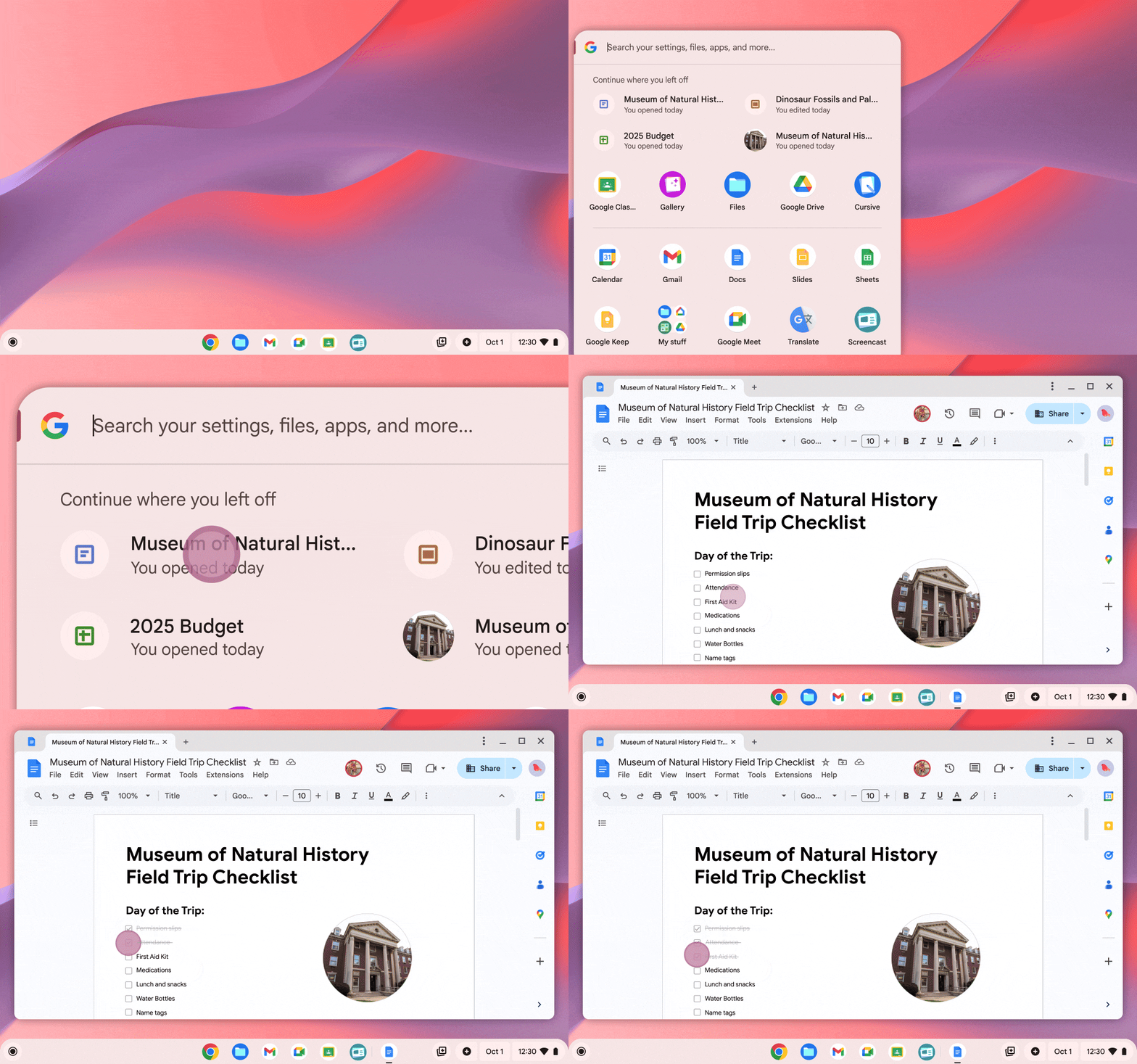
Seamlessly continue your work! 💻 Chromebook's Launcher now suggests recent documents, slides, and more, allowing you to effortlessly pick up right where you left off. No more searching for that file you were just working on
Lead, manage and secure devices with Google Admin console
- IT admins can get all the info they need about their fleet in the central Device Hub in Google Admin console. The Hub also provides proactive alerts based on potential problems to make fleet management seamless.
- There are more than 600 policies in Google Admin console, and it can be time-consuming to find the one you’re looking for. With our new simplified filtering for policies, you'll be able to easily catch up on new feature releases and the most popular settings. And coming soon, you'll be able to use natural language to search the entire policy and device lists, which will provide ML-ranked results based on your intent and automatically apply relevant device filters to meet your needs.
Get started with Chromebook Plus
To help learn how to use all of the new features, check out our YouTube playlist or the Chromebooks for Educators course. And of course, learn more about all of the latest and greatest on our website.